

Table of Contents
- Why Verifying Traded Coupon Codes Matters
- How to Verify Traded Coupon Codes: The Step-by-Step Process
- Risks of Buying Discount Codes Online and How to Avoid Them
- How to Spot Fake Coupon Codes Before You Trade
- Using the Best Coupon Trading Platforms Safely
- A Manual Verification Checklist You Can Use Today
- Conclusion: Trade Smart and Save More
- Frequently Asked Questions
Last Updated: September 5, 2026
Why Verifying Traded Coupon Codes Matters
The secondary market for coupon codes is a breeding ground for scams, expired offers, and codes that were never valid. Learning how to verify traded coupon codes protects your wallet and personal data.
Verification confirms three things before you pay: the code is real, active, and matches the retailer and product. Most people skip this because they trust the seller, exactly what scammers exploit. A five-minute verification routine can save you from losing the full retail value of your purchase.
Below are the exact steps to run before any trade, whether buying from a dedicated platform, social media group, or forum. You will have a repeatable process that filters out most bad codes.
How to Verify Traded Coupon Codes: The Step-by-Step Process
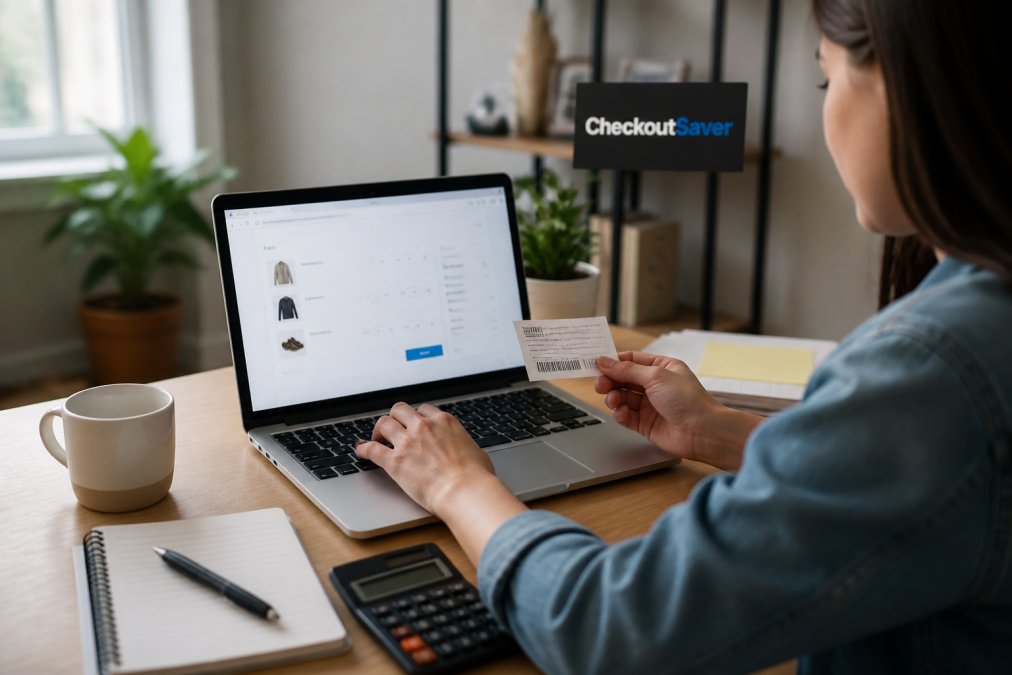
The most reliable way to verify a traded code is to test it on the retailer’s official website before completing the trade. This confirms the code’s active status, redemption rules, and whether it applies to your cart. Run checks in order, because a code that passes one test can still fail another.
Step 1: Check the Source
Evaluate where the code came from. A code from a verified seller with transaction history carries far less risk than one posted anonymously. Ask how the seller obtained it. Legitimate sources include retailer emails, cashback portals, and loyalty programs; codes from affiliate links or unsolicited email are often tied to tracking systems that may not work.
Step 2: Test on the Retailer’s Site
Open the retailer’s official site in a private window, add the item to your cart, and enter the code exactly as provided. If it applies, the discount appears in the order total. Do not rely on the seller’s screenshot, it is easy to fake and may show outdated validation.
Step 3: Look for Red Flags in the Code Format
Most retailer codes follow a predictable structure. Codes that look random or overly long may be bot-generated or stolen. Check the terms: many codes are single-use, account-tied, or category-restricted. A one-time-use code is risky to trade because the original owner may have already redeemed it.
Risks of Buying Discount Codes Online and How to Avoid Them
Buying discount codes online carries three primary risks: purchasing an already-used code, sharing payment details with a scammer, and installing malware through phishing links. These risks are why verification matters.
The most common scam is selling an already-used code. Because many codes are single-use, the seller can redeem it, screenshot the confirmation, and sell the worthless code. Always test the code yourself before paying; a seller who refuses verification is hiding something.
Never enter a traded code on a website that is not the retailer’s official domain. Scammers create convincing clone sites that capture your code and your payment information. Always type the retailer’s URL directly into your browser rather than clicking a link from a seller.
Phishing is the second major threat. Scammers send unsolicited email or direct messages with links that appear to lead to coupon databases. These links can install tracking software or steal your login credentials. The Federal Trade Commission guidance on phishing recommends treating any unsolicited message offering deals as suspicious, especially if it asks you to enter personal information.
The Critical Difference: Broken Code vs. Malicious Code
Most guides stop at testing the code. A security-focused approach distinguishes between a code that simply fails and one actively trying to compromise your system, the difference between losing a few dollars and losing your digital identity.
A broken code is simply invalid, expired, mistyped, or already redeemed. On the retailer’s official site, you get a clear error message, the transaction stops, and you move on. The risk is financial, not technical.
A malicious code is a tool for social engineering, designed to lure you into a trap. Here is how it works:
-
The Lure: A seller posts a code that appears to work, often for a high-value item or a large percentage off. The code is real, but it is not the seller’s to give. It may have been harvested from a corporate breach or generated by a bot.
-
The Redirect: When you try to apply the code on the retailer’s site, it fails. The seller then says, “Oh, that code is for a different region” or “You need to use this link to activate it.” That link is the payload.
-
The Payload: The link leads to a lookalike login page or a browser extension that requests permission to read your browsing history. If you enter your credentials or install the extension, you have handed over your account access and your shopping habits.
A Security Risk Assessment Checklist
Before you enter any traded code, run this quick risk assessment. It takes less than a minute and can prevent a malware infection or account takeover.
| Risk Indicator | Safe Behavior | Malicious Behavior |
|---|---|---|
| Code source | Retailer email, loyalty program, cashback portal | “Friend at the company,” “Leftover from a promo,” vague answers |
| Code format | Standard length, recognizable pattern | Overly long, random characters, includes special symbols |
| Seller’s instructions | “Test it on the retailer’s site” | “Use this link,” “Install this extension,” “Hurry before it expires” |
| Requested action | Enter code at checkout | Enter login credentials, provide email password, download a file |
| Payment method | Credit card, platform escrow | Wire transfer, gift card, cryptocurrency |
If you see three or more indicators from the “Malicious Behavior” column, walk away. No discount is worth the risk of credential theft or a keylogger on your device. The Cybersecurity and Infrastructure Security Agency alert on phishing notes that most successful attacks rely on user interaction with a malicious link or attachment. A traded coupon code that requires you to click a separate link is exactly that kind of vector.
How to Spot Fake Coupon Codes Before You Trade
Learning how to spot fake coupon codes requires attention to detail, but the patterns are consistent. Fake codes typically fall into three categories: fabricated codes that never existed, expired offers that no longer work, and legitimate codes that have been altered or duplicated. avoid fake products.
Fabricated codes are the easiest to spot. Retailers use algorithms to generate codes, and the result is usually a recognizable pattern. If a code looks like random keyboard mashing, it is probably fake. Expired offers are trickier because the code may have worked months ago. Check the promotional campaign dates if you can find them, and test the code quickly since many offers expire without public notice.
The hardest category to catch is the legitimate code that has been modified. Some scammers take a real code and change one character, hoping you will not test it before payment. This is why the manual verification checklist below is non-negotiable for any trade of significant value.
Using the Best Coupon Trading Platforms Safely
The best coupon trading platforms reduce risk by adding structure to the exchange. They offer user authentication, transaction monitoring, and dispute resolution that anonymous forums lack. When choosing a platform, look for three features: verified seller profiles, an escrow or payment-holding system, and a clear policy for invalid code errors.
Platforms that verify sellers via purchase history or phone numbers make it harder for scammers. Escrow systems hold payment until the code works, shifting risk away from the buyer. A clear refund policy for invalid codes is essential, since even legitimate sellers occasionally share failing codes.
What the Major Platforms Actually Do Differently
Most coupon trading happens on one of three types of platforms, and each has distinct trade-offs you should understand before committing.
Dedicated coupon marketplaces offer the strongest buyer protections: seller verification, escrow for 24 to 72 hours, and a structured dispute process. The trade-off is fees of 5% to 10% and possible restrictions on retailers or code types.
General peer-to-peer marketplaces (like Facebook Marketplace or Craigslist) offer no coupon-specific protections: no code verification, no escrow, no dispute resolution. The only protection is your payment method. A credit card via PayPal Goods and Services offers some recourse; Venmo or Cash App leaves you with no way to recover your money.
Forum-based communities (such as Reddit’s coupon subreddits) rely entirely on reputation, sometimes with scammer lists or flair systems. They work for small trades but offer zero financial protection, a seller with a perfect history can still disappear after taking payment for a redeemed code.
The Browser Extension Problem Nobody Talks About
A growing trend is browser extensions that claim to “auto-verify” codes or “find working coupons.” They are convenient but carry a privacy cost most users never read about.
Many request permission to “read and change all your data on all websites,” which is not necessary to verify a code. A legitimate tool only needs access to the checkout page. Broad access usually means the developer is tracking your browsing history, search queries, and shopping habits across every site.
The data is often sold to data brokers or used to profile your purchasing behavior. In documented cases, extensions have injected affiliate tracking codes into your sessions without your knowledge, so the retailer pays the developer a commission instead of giving you a better discount.
Before installing any coupon verification extension, check its privacy policy for three things:
- Data collection: Does it state clearly what data it collects and why?
- Data sharing: Does it share data with third parties beyond the extension developer?
- Permission scope: Does it require access to all websites, or only to specific retail domains?
If the privacy policy is vague or permissions are broad, skip it. Manual verification takes five minutes and does not require surrendering your browsing data.
When comparing platforms, read the dispute resolution policy before you trade. The best platforms act as mediators when a code fails, while weaker ones leave you to negotiate with a stranger who may simply disappear. Also, check whether the platform itself uses tracking cookies or affiliate links that could compromise your privacy.
Checkout Saver was built around this problem. Our platform offers one-time use coupon trading with a transparent, no-hidden-code experience. Sellers list codes, buyers test them at checkout, and the structure reduces the anonymity scammers rely on. Casual users need no long-term commitment, you can buy or sell a single code without linking every account.
A Manual Verification Checklist You Can Use Today
This checklist condenses the process into five quick checks. Run these before every trade to eliminate most of the risk.
- Confirm the seller’s identity and transaction history on the platform
- Ask how the code was obtained and whether it is single-use
- Test the code on the retailer’s official website in a private browsing window
- Check the code’s expiration date and terms and conditions
- Use a payment method with buyer protection, not a wire transfer or gift card
| Check | What to Look For | Red Flag |
|---|---|---|
| Seller history | Multiple completed trades, positive feedback | New account, no history, rushed tone |
| Code source | Retailer email, loyalty program | “Friend at the company,” vague answers |
| Live test | Discount appears at checkout | Code rejected, “already redeemed” error |
| Terms check | Valid for your item, not expired | Category restrictions, account-locked |
| Payment method | Credit card or platform escrow | Cash app, wire transfer, gift card payment |
This manual process takes about five minutes. In practice, that is a small investment compared to the retail value you are protecting. The Better Business Bureau scam tracker logs thousands of coupon and gift card fraud reports each year, and most involve buyers who skipped at least one of these checks.
Conclusion: Trade Smart and Save More
Trading coupon codes can lower your shopping costs, but only when you treat every trade as a potential risk. The verification process is straightforward: check the source, test the code yourself, and use protected platforms.
At Checkout Saver, we built our platform around transparent savings. Our one-time use coupon trading, discounted gift cards, and cashback opportunities let you verify everything before you commit. We are an independent small business, and we want you to keep more money in your pocket without worrying about hidden codes or failed transactions.
Sign Up Free to get started with Checkout Saver and trade with confidence, knowing every code you buy has been checked before it reaches your cart.
Frequently Asked Questions
How do I check a coupon code before completing a purchase?
Add an eligible item to your cart and go to the checkout page. Paste the code into the promo code or discount code field and click Apply. If the code is active, the total will update to show the discount. If you see an invalid code error, the offer may be expired, restricted, or mistyped. Always verify the code on the retailer’s official website rather than trusting a screenshot from a seller.
How do I know if a coupon code is legit when trading with someone?
Legitimate codes come from official retailer promotions, newsletters, or verified trading platforms with buyer protections. Be suspicious of codes sold at a steep discount or shared through unsolicited emails. Check the code’s terms and conditions, including expiration date and product exclusions. A quick test on the retailer’s checkout page is the only way to confirm a code is active before you commit to a trade.
What are the common signs of a fraudulent coupon code?
Fraudulent codes often have unusual formats, promise unrealistic discounts like 90% off, or come from unverified sellers. Be wary of codes shared via phishing links or unsolicited messages. Legitimate retailers rarely distribute codes through third-party sellers. If a deal seems too good to be true, check the retailer’s official website to see if the promotion exists. Never share personal information to redeem a questionable code.
What should I do if a traded coupon code doesn’t work at checkout?
First, double-check the code for typos and confirm you meet all terms, like minimum purchase amounts or specific categories. If it still fails, contact the platform where you traded the code. Reputable coupon trading platforms offer buyer protection and will investigate the issue. Document the error message and your transaction details. Avoid buying codes from sources that do not offer a clear resolution process.
This article was written using GrandRanker