
Table of Contents
- Step 1: Know Where Valid Coupon Codes Actually Come From
- Step 2: Manual Search Techniques for Promo Codes
- Step 3: How to Verify Promo Codes Before You Buy
- Step 4: Best Coupon Browser Extensions 2026
- Step 5: Legit Coupon Sites vs Scam Sites
- Step 6: Stacking Strategies and Troubleshooting Checkout Errors
- Step 7: AI Price Tracking vs Couponing
- Conclusion
- Frequently Asked Questions
Last Updated: September 11, 2026
Step 1: Know Where Valid Coupon Codes Actually Come From
Learning how to find valid coupon codes 2026 starts with the source. Most shoppers grab the first Google result and watch it fail at checkout. Codes that actually work come from a narrower set: the retailer itself, or shoppers who hold a genuine code and no longer need it.
This guide breaks down steps to source, verify, and stack codes so the discount survives checkout.
Valid coupon codes are alphanumeric strings issued by a retailer that reduce the price of a specific purchase when entered at checkout and matched against that promotion’s terms. A code is only “valid” if it is unexpired, unused, and applied to an eligible cart (the FTC).
A common mistake is treating every code as universal. Retailers issue codes for specific segments, first-time buyers, loyalty members, or a single product line, so a code that worked for someone else may never have applied to your cart.
Retailer Newsletters and Loyalty Programs
The most reliable source of working codes is the retailer’s own signup flow. Many stores send a welcome code when you join their email list, and loyalty members often get member-only offers that never appear in public coupon feeds (the FTC).
The trade-off is volume: expect marketing email and codes with minimum spends or short expiration dates. Use a dedicated email address for retail signups.
Coupon Trading and Discounted Gift Cards
A newer route is trading one-time-use codes between shoppers. If you receive a code you won’t use, someone else may have one you need. Platforms built for this, including Checkout Saver’s one-time use coupon trading, let shoppers buy and sell codes without the guesswork of a random Google result.
Discounted gift cards work on the same principle: buying below face value lowers your effective cost at that retailer, no code required. Checkout Saver also offers cashback opportunities and discounted gift cards alongside its coupon trading.
FTC guidance on gift cards and retail promotions
Step 2: Manual Search Techniques for Promo Codes
Manual searching still works if you search like someone who understands how codes are indexed: combine the retailer name with intent words that surface current offers rather than expired aggregator pages.
Try these search patterns:
[retailer] promo codeplus the current month and year[retailer] couponfiltered to results from the past week- The retailer’s own site search for “offers” or “deals” before touching Google
- The brand’s social profiles, where limited-time codes often drop first
A common mistake is copying a code with no date attached. Aggregators recycle expired codes to keep pages indexed, so check the page’s publish or update date before trusting it.
Search the retailer’s site directly before searching Google. Many stores publish a current promo code on their own homepage banner or cart page, and those codes are almost always live. You skip the aggregator middleman entirely.
Step 3: How to Verify Promo Codes Before You Buy
Verification is the step most shoppers skip, and it costs them the discount. Before committing to a cart, confirm the code has not expired and applies to what you are buying.
Check the Expiration Date and Terms
Read the offer’s terms and conditions: expiration date, minimum spend, excluded brands or categories, and stacking rules. A code marked “one per customer” will fail if your account has already used it.
If no expiration date is listed, treat the code as suspect. Legitimate promotions almost always carry a date range.
Test Multiple Codes at Checkout
The fastest way to verify a code is to test it in the cart before paying. Add an eligible item, open the promo code field, and enter codes one at a time; the cart applies or rejects each immediately.
Keep three to five candidate codes and test them in sequence, removing each failure before the next, since some carts lock the field after a rejected entry.
| Verification Check | What to Look For | Why It Matters |
|---|---|---|
| Expiration date | A clear end date on the offer | Expired codes fail silently |
| Minimum spend | Cart total meets the threshold | Discount won’t apply below it |
| Excluded items | Your product isn’t on the list | Common cause of rejection |
| Stacking rules | Whether it combines with other offers | Determines total savings |
| Usage limit | One per customer or account | Repeat use gets rejected |
Step 4: Best Coupon Browser Extensions 2026
Browser extensions remain the fastest way to test codes automatically. A coupon browser extension detects when you reach a retailer’s checkout and tries known codes against your cart. The category splits into two models: auto-apply extensions that inject codes without asking, and cashback-plus-coupon extensions that route your purchase through an affiliate link and share the commission back to you.
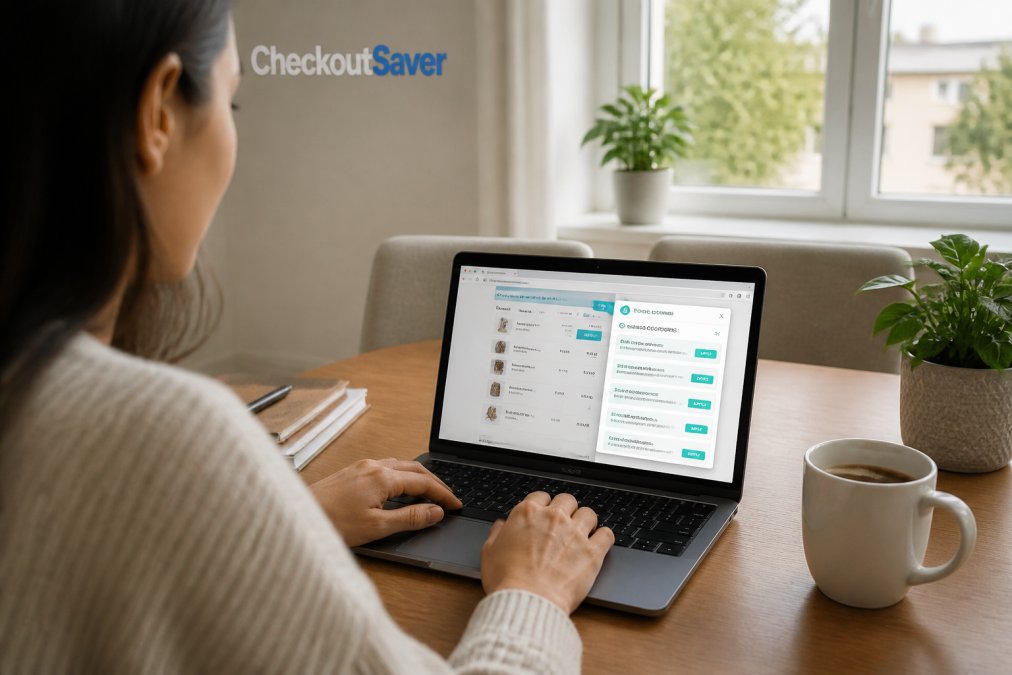
When evaluating the best coupon browser extensions 2026 has to offer, weigh four things: hit rate, data collection, affiliate cuts, and compatibility with the retailer’s checkout script.
Here is what separates a useful extension from a noisy one:
- Hit rate over hype. An extension that finds a working code one time in five beats one that pops up constantly and rarely succeeds. Track your hit rate over a month.
- Transparency on data. Read the permissions request. An extension that reads every page you visit trades your browsing history for discounts; checkout-only extensions request narrower permissions.
- Cashback clarity. Some extensions route your purchase through an affiliate link and share the commission as cashback, fine, as long as it is disclosed before you click.
- Checkout compatibility. Some checkout pages block third-party scripts, so the extension cannot inject codes. A silent failure on a site you use often is a compatibility issue, not a code issue.
How Auto-Apply Actually Works
At checkout, the extension reads the promo code field, pulls candidate codes from its database, and submits them one at a time until one is accepted or the list runs out. That is why auto-apply can be slow on carts with many codes, and why some retailers rate-limit the field after failed attempts. If the field locks, refresh and try one code manually.
Where Extensions Fall Short
Extensions can only try codes they already know about. A single-use code another shopper has redeemed will fail every time, no matter how good the extension is. Extensions also cannot see member-only codes tied to your loyalty account, and they cannot apply a discounted gift card, which is a payment method rather than a promo code. That is the gap Checkout Saver’s coupon trading addresses: it sources one-time-use codes from shoppers who hold them, exactly the category extensions cannot reach. finding restaurant deals.
Run your extension and a manual code search side by side for one shopping trip. Whichever finds the working code first tells you which method to lead with for that retailer going forward.
Step 5: Legit Coupon Sites vs Scam Sites
Telling legit coupon sites vs scam sites apart comes down to transparency. A legitimate site shows the code, states the terms, and tells you when the offer was last verified. A scam site hides the code behind endless clicks, forces a survey, or asks for payment details to “unlock” a discount.
Red flags to walk away from:
- A code that never appears, only a “click to reveal” loop
- Requests for your card number to claim a free coupon
- Pop-ups demanding you install a second extension to see the code
- No contact information, no privacy policy, no company name
Never enter payment details to “unlock” a coupon code. No legitimate promotional offer requires your card number before checkout. This is the most common coupon phishing pattern, and the code never arrives.
Checkout Saver offers a no-hidden-code experience where the offer you see is the offer you get, and the platform operates as an independent small business.
Step 6: Stacking Strategies and Troubleshooting Checkout Errors
Stacking means combining more than one discount on a single transaction, such as a promo code plus a discounted gift card plus cashback. Most shoppers never stack because they apply discounts in the wrong order and lose one at payment.
The Stacking Order That Actually Works
Apply discounts from most restrictive to least restrictive. A common working order:
- Manufacturer or brand coupon first. These carry the tightest product restrictions and shortest expiration windows, so they attach before anything else changes the total.
- Store promo code second. Store codes often have a minimum spend threshold; check whether it is measured before or after the manufacturer coupon, most retailers measure it before.
- Loyalty or member pricing third. Member pricing usually applies automatically once signed in, but some programs require you to toggle it on at the cart.
- Discounted gift card as payment. The gift card is a payment method, not a discount, so it applies at payment and reduces what you pay without touching the cart total.
- Cashback portal last. Cashback tracks the final transaction amount. Do not also use an extension that routes through a competing affiliate link, the two cancel each other out.
Not every retailer allows stacking. Before you build a cart around a stack, check the terms for the phrase “cannot be combined with other offers.” That single line kills most stacks.
Common Checkout Errors and How to Fix Them
Most checkout errors trace back to a mismatch between code and cart. How to troubleshoot the frequent ones:
- “Code not valid”, expired, already used, or restricted to a segment you don’t belong to (first-time buyers, a loyalty tier, one product line). Try a different code.
- “Minimum not met”, add an eligible item to cross the threshold, then reapply. Confirm whether the threshold is measured before or after other discounts.
- “Code already applied”, clear your cart, refresh, and re-enter once. Some carts cache a rejected code until the session resets.
- Discount disappears at payment, a conflicting offer is overriding it. Remove the other discount and reapply.
- Code works in one browser but not another, a privacy extension or ad blocker is stripping the promo code parameter from the checkout URL. Disable blockers for that site.
- Code works on desktop but not mobile, some retailers run separate promotion systems for app and mobile web. Try the other channel.
- Regional restriction, some codes are geo-locked to specific states or ZIP codes. If a code fails with no explanation, check whether the promotion was regional.
Test codes in the cart before you commit, and keep a backup code ready. A failed code at the payment screen is the most common reason shoppers abandon a cart and lose the discount entirely.
If a code fails repeatedly across browsers, devices, and a fresh cart, stop retrying. Repeated failed attempts can trigger a retailer’s fraud checks and temporarily lock your account from applying any promotion.
Step 7: AI Price Tracking vs Couponing
AI price tracking and couponing solve different problems, and the smartest shoppers use both. Price tracking monitors an item’s cost over time and alerts you when it drops; couponing reduces the price at purchase.
Price tracking wins on big-ticket items where the price genuinely moves: electronics, appliances, seasonal goods. Couponing wins on everyday purchases where a code or discounted gift card shaves a fixed amount off a stable price.
The gap most guides miss is that a price drop and a coupon can combine. If a price tracker alerts you to a lower price and you also hold a working code or a discounted gift card for that retailer, you capture both. That combination is where real savings live.
Conclusion
Finding a code is easy. Finding one that still works at checkout, and stacking it with a discounted gift card and cashback, is the part most shoppers never master. Checkout Saver offers one-time use coupon trading, discounted gift cards, and cashback opportunities, all through a no-hidden-code platform. Sign up free and start keeping more of every purchase in your pocket.
Frequently Asked Questions
Where can I find valid coupon codes today?
Start with the retailer’s own newsletter and loyalty program, since those codes are issued directly and rarely expire before you use them. Check the brand’s social media pages for limited-time promo codes. Browser extensions can surface codes automatically at checkout. Coupon trading platforms let you buy one-time-use codes from other shoppers, which often works when public codes have already been exhausted. Always verify the expiration date before applying any code.
How can I find a valid coupon code that actually works?
Test codes in this order: retailer newsletter codes first, then browser extension suggestions, then manually searched codes from coupon aggregators. Apply one code at a time in the checkout cart so you can see which one reduces your total. If a code fails, check the terms and conditions for minimum purchase requirements or excluded brands. Codes that require a specific payment method or new customer status are the most common reason a valid coupon codes search still fails at checkout.
Are browser extensions safe for finding coupon codes?
Most major coupon browser extensions are safe when downloaded from official browser stores, but they typically request permission to read page data and track your shopping activity. Review the permissions before installing. Extensions that only activate on retail checkout pages pose less risk than ones requesting access to all sites. For maximum control, use extensions in a separate browser profile, and avoid any extension that asks for your payment information directly.
How do I know if a coupon site is legit or a scam?
Legit coupon sites show a clear privacy policy, list real contact information, and never ask for payment to reveal a code. Scam sites often require you to complete a survey, download software, or enter credit card details before showing the coupon. Check for user reviews and see whether the site has been active for more than a year. If a deal looks significantly better than what the retailer advertises, treat it as a red flag and verify directly on the retailer’s site.

