Most coupon extensions are safe when they request only the permissions their features need and disclose how they make money, but a meaningful share cross that line by collecting more data than necessary or injecting undisclosed affiliate links. Before installing one, check its requested permissions, read its privacy practices in the official store listing, and confirm it discloses affiliate relationships.
TL;DR:
- Extensions requesting broad permissions like full site access or browsing data may log more data than necessary, raising privacy, security, and monetization concerns.
- Always verify a extension’s listed permissions match its advertised features and check for clear disclosures of affiliate links and data collection practices.
- Frequent, undocumented updates and lack of transparency in release notes can indicate higher risk, especially if reviews mention unwanted pop-ups or redirects.
- Using a separate browsing profile and keeping automatic updates enabled, alongside strong passwords, helps mitigate risks from potential extension exploits.
- Trustworthiness is best determined by examining permissions, privacy disclosures, and developer transparency, rather than popularity alone.
Table of Contents
- How coupon extensions work and why they ask for broad permissions
- Concrete privacy and security risks to watch for
- A step-by-step checklist to decide if a coupon extension is safe
- Practical steps to reduce risk while using coupon extensions
- How Checkout Saver approaches privacy and transparency
- Examples of known coupon extension security and trust incidents
- Comparing safety levels across popular coupon extensions
- Signs a coupon extension may not be safe
- Balancing convenience and privacy: an editorial take
- Try Checkout Saver with the safety checklist in hand
- FAQ
- Sources
How coupon extensions work and why they ask for broad permissions
A coupon extension has to read the page you are on to find a checkout box and test codes automatically. That single job explains why so many of these tools request what looks like sweeping access: “read and change all your data on the websites you visit.” For a tool meant to work across thousands of retail sites, that broad host permission is often the only technical way to detect a cart page on any domain, not just a preapproved list.
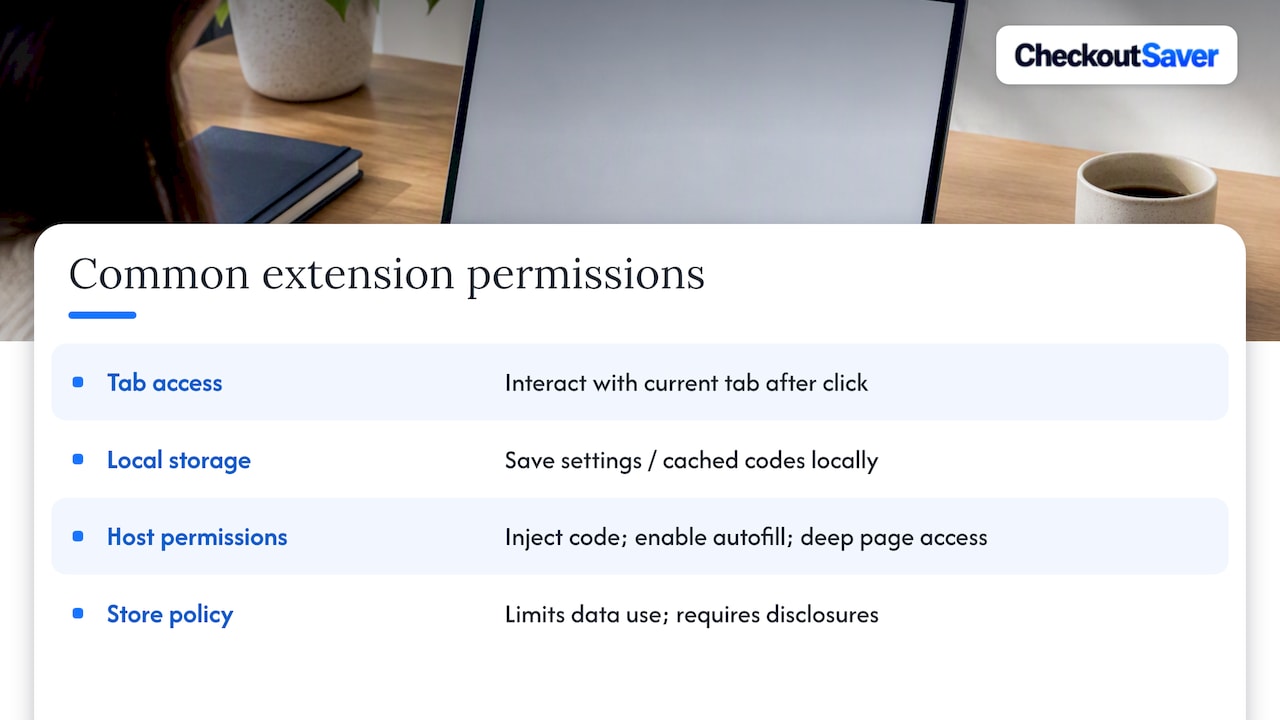
A few manifest permissions show up again and again, and each does something specific. activeTab lets the extension interact with the tab you are currently viewing, usually only after you click its icon, which is a narrower and safer pattern. storage lets it save settings or cached coupon codes locally. Host permissions (the “all sites” or specific-domain access) let it inject code into pages, which is what makes autofill at checkout possible but also what gives it the deepest access to whatever is on that page, including anything you type.
Chrome Web Store policy puts limits on what developers can do with that access. Developers are barred from using or transferring collected user data for personalized or interest-based advertising, and the store’s privacy practices tab is supposed to disclose what data an extension actually collects. A separate 2025 policy update on affiliate ads went further, requiring that affiliate programs and affiliate-link behavior be disclosed in the listing and barring extensions from injecting affiliate links unless there is a transparent, direct benefit to the user. Reading those two sections of a listing, not just the permission prompt, tells you more than the install screen ever will.
Concrete privacy and security risks to watch for
Broad access is not automatically dangerous, but it does widen what could go wrong if a developer is careless or dishonest. Three categories of risk show up repeatedly in how coupon extensions are built and monetized.
- Privacy risk: an extension with full-page access can log browsing history, form entries, or cross-site activity far beyond what applying a coupon requires.
- Business-model risk: some tools quietly insert their own affiliate link at checkout, which can route a commission to the extension’s maker regardless of whether it found you the best price.
- Security risk: because many extensions auto-update, a single compromised update can push malicious code to every installed user at once, no reinstall required.
That last point is not theoretical. CISA warned in 2026 that supply-chain compromises had impacted legitimate developer tools and repositories, with malware delivered through what looked like routine automatic updates, and the agency recommended auditing installed extensions, enabling multifactor authentication, and keeping software patched as baseline defenses. The lesson for shoppers is that an extension’s risk is not fixed at install time. Permission scope is the attack surface: the more a tool can see and touch, the more damage a single bad update can do before anyone notices.
A step-by-step checklist to decide if a coupon extension is safe
Running through this before you click “Add to Chrome” takes a few minutes and catches most of the obvious problems.
- Open the official store listing and read the privacy practices tab. Look specifically for a stated affiliate disclosure and a plain description of what data gets collected, per Chrome’s user-data policy.
- Check every requested permission against the extension’s advertised features. A coupon tool asking for your search history, your email, or access to non-retail sites is asking for more than it needs, which Mozilla’s guidance on permission requests flags as a clear warning sign.
- Look for developer transparency: a working contact method, a visible changelog, or open-source code. Extensions that update silently with no explanation are harder to trust and harder to audit.
- Read recent reviews and search the extension’s name alongside words like “breach” or “malware” before you install, not after something feels off.
- When you are still unsure, don’t install it on your main browser. Use a separate browser or profile instead, which contains the risk even if your instinct turns out to be wrong.
Pro Tip: Bookmark the extension’s “Privacy practices” tab link before installing. If the developer quietly changes its data disclosures later, you’ll have the original version to compare against.
Practical steps to reduce risk while using coupon extensions
Even a well-reviewed extension benefits from a few habits that limit what any single tool can reach.
- Use a dedicated browser or profile for shopping, separate from the one holding your email, banking, or work logins, so a compromised extension cannot casually reach your other accounts.
- Turn off features you don’t use and remove extensions you haven’t opened in months. Unused access sitting idle is pure downside with no benefit.
- Keep automatic updates on, since most fixes for discovered vulnerabilities ship that way, but pair that with the CISA habit of periodically reviewing what’s actually installed.
- Use multifactor authentication and strong, unique passwords on shopping and payment accounts, so a leak from one source doesn’t cascade into others.
Isolating shopping activity in its own browser or profile is one of the simplest, highest-leverage defenses available to ordinary shoppers, since it keeps cookies, saved credentials, and extensions from a shopping session away from your main accounts and personal data. If you’d rather skip browser extensions altogether, manually checking codes on a retailer’s own promotions page or a coupon site you already trust avoids the permissions question entirely.
Pro Tip: Set a calendar reminder every few months to open your browser’s extensions page and remove anything you no longer recognize or use.
How Checkout Saver approaches privacy and transparency
Our platform combines discount gift cards, one-time-use coupons, cashback rewards, and a referral community with a Chrome extension built around the same checklist we describe above. We built our model around transparency, aiming not to hide coupon codes behind paywalls or require purchases to unlock savings, and the platform discloses how cashback and affiliate relationships work.
That said, our word on it isn’t the point. Whatever extension you consider, including ours, check its listed permissions, read its privacy practices tab, and confirm its affiliate disclosures match what it actually does at checkout. A transparency claim only means something once you’ve verified it yourself.
Examples of known coupon extension security and trust incidents
The clearest recent example of a coupon extension’s business model becoming a trust problem involves allegations that a widely used extension redirected affiliate commissions to itself at checkout, reported in detail by Tom’s Guide, raising questions about whether the tool consistently prioritized the best available deal or its own revenue. The specifics of that episode matter less than the pattern: free extensions monetize somehow, and when that mechanism runs invisibly inside the checkout flow, users have no way to tell if the code applied is the best one or simply the one that pays the extension.
Separately, CISA’s analysis of extension abuse describes how malicious actors can build extensions that mimic the names and icons of legitimate tools, then use the persistent access those extensions are granted to exfiltrate browsing data over time. Store review processes catch much of this, but not all of it, which is why the agency frames persistent extension access as an ongoing monitoring problem rather than a one-time install decision. Neither example proves that any particular coupon extension is unsafe today. Both point to the same underlying lesson: broad access plus unclear monetization is where coupon extensions tend to go wrong.
Comparing safety levels across popular coupon extensions
Safety among coupon extensions isn’t a single score, it’s a combination of three separate signals: how much access the extension requests, how clearly it discloses its affiliate and data practices, and how actively its developer maintains and documents updates. An extension that requests only activeTab and discloses its affiliate relationship in plain language sits at the safer end of that range. One that requests full host permissions across every site, offers no changelog, and buries its monetization in vague terms sits at the riskier end, regardless of how popular it is.
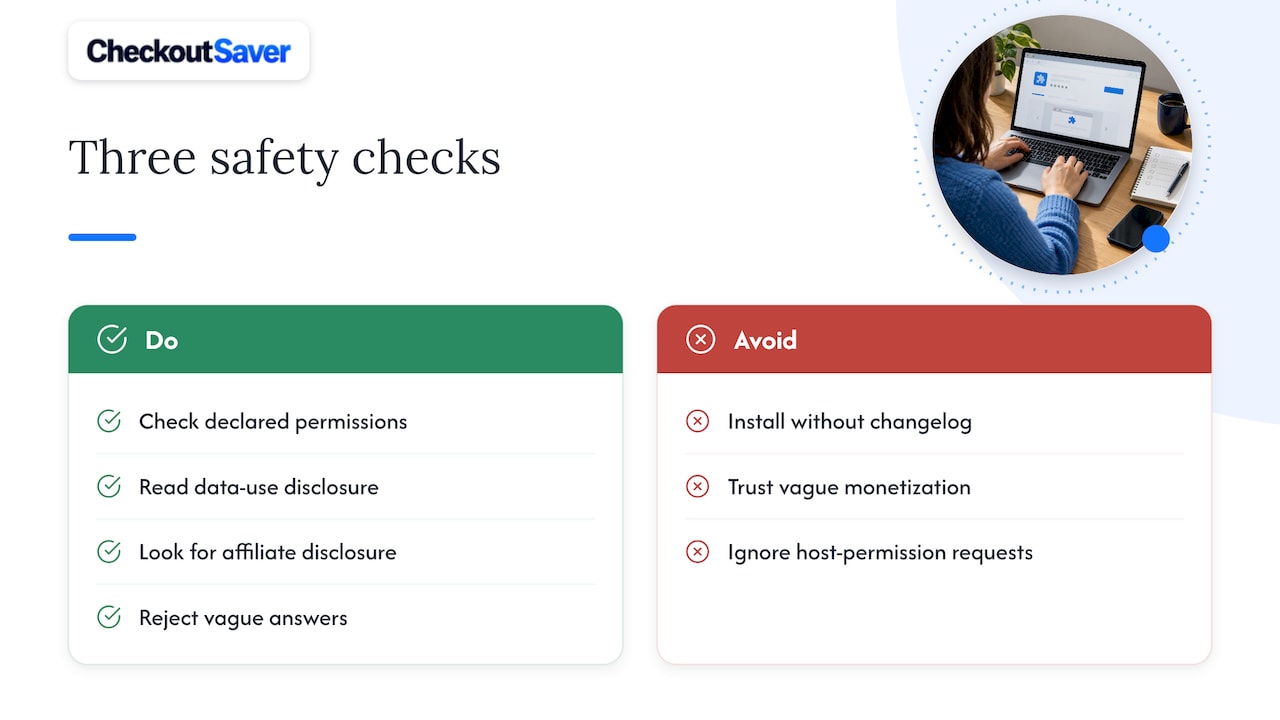
Popularity and safety are not the same axis. A tool with millions of installs has more scrutiny from security researchers, which can surface problems faster, but it also has a larger incentive structure around its affiliate revenue, which is exactly the dynamic behind the trust incident described above. Rather than ranking specific tools, the more reliable approach is to run every candidate through the same three checks: declared permissions, declared data use, and declared affiliate behavior, and treat a missing or vague answer on any of the three as a mark against it.
Signs a coupon extension may not be safe
A handful of warning signs tend to cluster together in the extensions worth avoiding.
- Permissions that don’t match the pitch: a coupon tool asking for access to your contacts, camera, or unrelated browsing categories.
- No visible privacy practices disclosure, or one that’s vague about what data gets collected and why.
- No affiliate disclosure at all, despite clearly applying codes that benefit from a commission structure, which Chrome’s affiliate-ads policy requires developers to state plainly.
- Infrequent or undocumented updates, with no changelog explaining what changed or why.
- Reviews mentioning unexpected pop-ups, redirected links, or codes that never seem to beat a manual search.
None of these signs alone proves an extension is malicious, but two or three together are reason enough to uninstall it and look elsewhere.
Balancing convenience and privacy: an editorial take
Shoppers tend to fall into two camps. Deal hunters want every code auto-applied with zero friction and will tolerate broad permissions to get it. Privacy-first shoppers would rather check a code manually than grant a tool access they can’t fully audit. Neither instinct is wrong, but the safer default sits closer to the second camp: a dedicated shopping profile, the minimum permissions an extension needs, and a quick run through the checklist above before installing anything. Convenience that depends on trusting an unverified data pipeline isn’t really convenience, it’s a bet.
— Justin
Try Checkout Saver with the safety checklist in hand
If you want savings without guessing at what a coupon tool does behind the scenes, our Chrome extension is built to show its work: our listing states what we collect and how our affiliate and cashback relationships function.
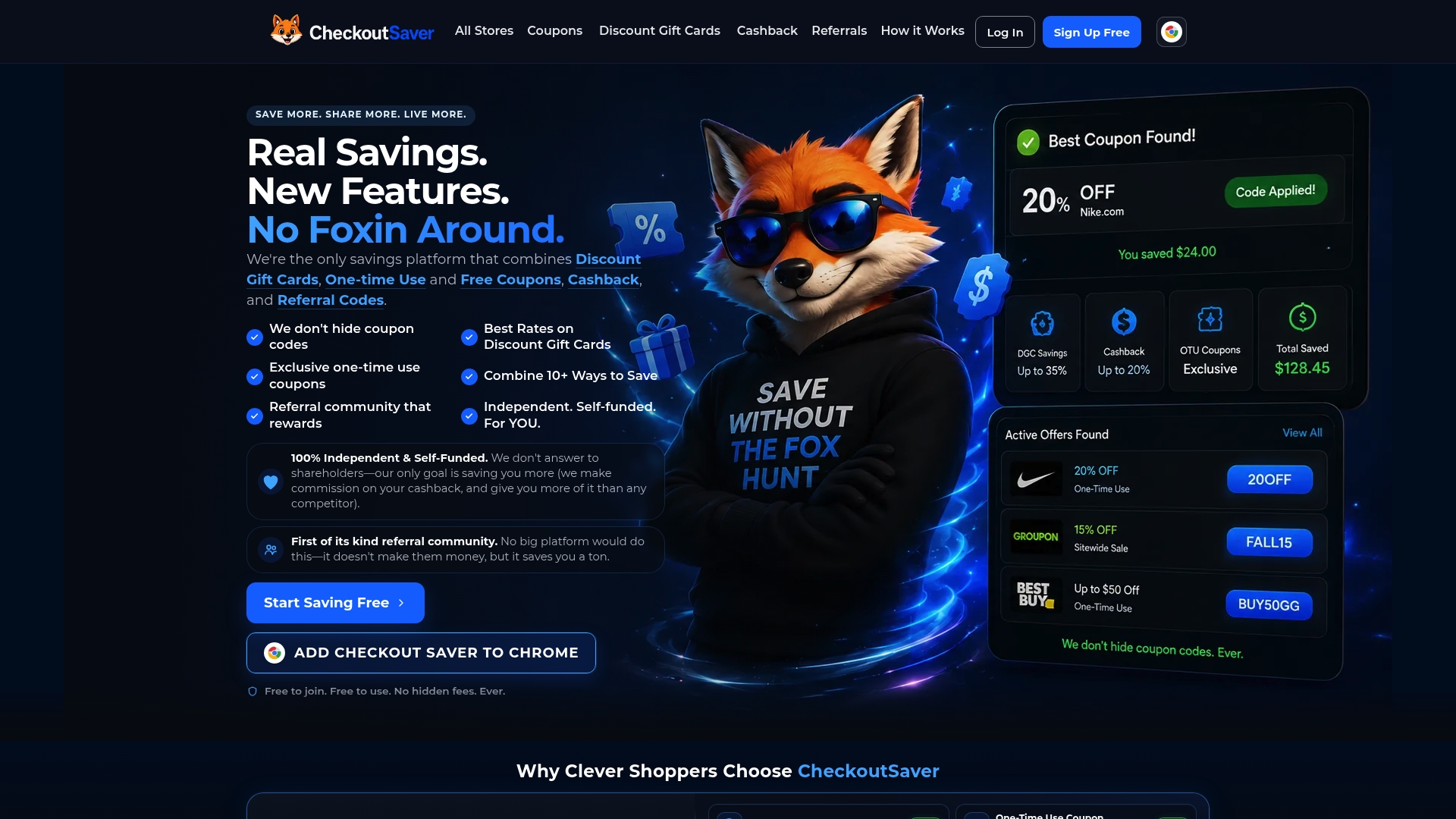
We’d still ask you to apply the exact checklist from this article to any extension you install, ours included:
- Install only from the official Chrome Web Store listing, never a third-party download link.
- Check the permissions screen against the features you actually plan to use.
- Review the privacy practices tab before clicking add.
From there, browse our discount gift cards or one-time-use coupons to see how combining cashback with upfront discounts stacks savings beyond what a code alone gets you.
FAQ
How do I know if an extension is safe?
Check its requested permissions against its advertised features, read the privacy practices disclosure in its official store listing, and confirm it states any affiliate relationships plainly, as required by Chrome’s affiliate-ads policy. An extension that is vague on any of those three points deserves more scrutiny before you install it.
What extensions are safe?
There is no single approved list, since safety depends on permissions requested, disclosure quality, and update transparency rather than brand name alone. Favor extensions that request narrow permissions like activeTab, disclose their affiliate and data practices clearly, and show an active, documented update history.
How can I tell if a Chrome extension is malicious?
Watch for permissions that don’t match the extension’s stated purpose, missing or vague privacy disclosures, and reviews describing unexpected redirects or pop-ups. CISA’s guidance on extension abuse also notes that malicious extensions sometimes mimic the name and icon of a legitimate one, so checking the developer name and listing details matters as much as the permission list.
Can I trust browser extensions in general?
Many browser extensions are safe when their permissions match their function and their developer discloses data and affiliate practices clearly, but trust should be verified per extension rather than assumed for the category. Using a dedicated browser profile for shopping, as suggested in AARP’s guidance on shopping extensions, limits the damage if any single extension turns out to be less trustworthy than it looked.
Sources
- Protect user privacy | Chrome Web Store program policies (user data FAQ)
- Supply chain compromises impact Nx Console and GitHub repositories | CISA
- Understanding extension permission requests – Mozilla Add-ons Community Blog
Recommended
- Checkout Saver Coupons: Promo Codes for 5,000+ Stores
- How Checkout Saver Works
- Promo Codes & Coupon Codes