Digital wallets let you pay in-store and online quickly, with stronger protections than handing over a raw card number, when you set them up correctly. Security comes from tokenization and device authentication, but those protections depend on which funding source you link and how fast you report a problem. Keep a small backup payment method ready and know how to lock or wipe a lost device before you need to.
TL;DR:
- Linking a credit card as your default funding source offers better dispute protections than debit cards or prepaid accounts.
- Device wallets provide the strongest security due to tokenization and biometric authentication but remain vulnerable if your device is stolen or unlocked.
- Using a backup payment method and reporting issues promptly can significantly reduce your liability after unauthorized transactions.
- Fees may arise from card issuers, merchant surcharges, or prepaid account charges, even though wallet apps are usually free to download.
- Shopping habits have shifted toward faster, mobile-based transactions, increasing convenience but also the risk of impulsive spending if limits are not set.
Table of Contents
- What is a digital wallet, and what are the main types?
- How do you buy things with a digital wallet, step by step?
- What do digital wallets protect, and where are the gaps?
- Why might a “free” wallet still cost you money?
- How do you set up a wallet that is fast, secure, and ready to shop?
- What should you do if your device is lost or you spot an unauthorized charge?
- How are wallet buttons different from credentials stored with a merchant?
- How discounted gift cards and coupons stretch your wallet-funded budget
- How have digital wallets changed shopping habits?
- How do popular digital wallet providers compare?
- What rules govern digital wallets and consumer protection?
- Balancing convenience, security, and savings in everyday wallet use
- A simpler way to cut costs on every wallet-funded purchase
- Sources
- FAQ
What is a digital wallet, and what are the main types?
A digital wallet stores payment credentials so you can check out without typing a card number every time. Three types cover most shopping situations.
- Device wallets (Apple Pay, Google Pay) live on your phone or watch and use near-field communication to tap and pay in stores.
- In-app or browser checkout wallets (PayPal, merchant-saved cards) store credentials with a retailer or a third-party checkout button for online purchases.
- P2P or balance apps (Venmo, Cash App) hold a cash balance or link to a bank account, mainly for sending money or paying select merchants.
Device wallets generally offer the strongest fraud protection because they tokenize card numbers at the point of sale. In-app checkout wallets are built for speed on sites you shop often. P2P apps are better suited to splitting a bill than to buying from a retailer, since dispute options are thinner if something goes wrong.
How do you buy things with a digital wallet, step by step?
The steps differ slightly depending on where you are shopping, but the sequence is predictable.
- In-store (NFC tap): Unlock your phone or watch, open or select the wallet app if it is not set to default, hold the device near the reader, and confirm with a fingerprint, face scan, or PIN.
- In-app or online checkout: Tap the wallet button (Apple Pay, Google Pay, or PayPal) or pick a stored card, then confirm your shipping address and payment method before submitting the order.
- Before you pay: Confirm which card or account is set as the default funding source, since that choice affects your fraud protections and any rewards you earn.
Pro Tip: Set a credit card, not a debit card, as your wallet’s default funding source for online purchases. Credit cards generally give you more leverage to dispute a charge before money leaves your account.
A quick pre-pay checklist helps: check the merchant name on the confirmation screen, confirm the shipping address autofilled correctly, and make sure the total matches what you expected before you tap confirm.
What do digital wallets protect, and where are the gaps?
Tokenization is the core security feature. When you add a card to a wallet, the wallet replaces the card number with a one-time or device-specific token, so the merchant and the payment network never see your actual card number during the transaction. Device authentication (PIN, fingerprint, or face scan) adds a second layer, since a stolen phone alone does not grant access to a locked wallet.
That said, wallets do not protect against everything.
- Phishing links can trick you into entering payment details on a fake checkout page.
- A compromised or outdated wallet app can expose stored data if you install apps from outside official app stores.
- Public Wi-Fi networks can expose unencrypted traffic on poorly secured sites.
- A stolen, unlocked device remains the single biggest risk to a mobile wallet.
The Federal Reserve’s Diary of Consumer Payment Choice found that mobile phones accounted for a significant share of all payments and remote payments in 2024, a volume that makes phones a bigger target for scammers than in past years. The FTC’s guidance on mobile payment apps recommends enabling multi-factor authentication, double-checking recipients before sending money, keeping apps updated, and sourcing them only from official app stores.
Why might a “free” wallet still cost you money?
A wallet app itself is usually free to download, but the money moving through it is not always free of charges.
- Card-issuer fees: Some credit cards charge cash-advance or foreign-transaction fees depending on how a wallet transaction is coded.
- Prepaid account fees: Prepaid balances linked to a wallet can carry monthly, reload, or ATM fees; the CFPB’s prepaid disclosure guidance shows the range of fees that show up on the short-form disclosure you should read before funding one.
- Merchant surcharges: Some retailers add a surcharge for certain payment types, which shows up at checkout rather than from the wallet itself.
Your funding choice also changes your rights if something goes wrong. A credit card carries strong chargeback protections under federal law. A debit card or app balance ties directly to your bank funds, so a dispute takes longer to resolve and the money is gone from your account in the meantime.
How do you set up a wallet that is fast, secure, and ready to shop?
Choosing a wallet comes down to three questions: does it work with your phone, do the stores you shop at accept it, and does it support the card or rewards program you already use.
- Add and verify your card through the wallet app, which usually requires a one-time verification code from your bank.
- Set a default shipping address and a default funding card so online checkout takes one tap.
- Load loyalty cards and coupons into the wallet if your preferred stores support it, so rewards apply automatically at checkout.
- Turn on multi-factor authentication and a device passcode or biometric lock if you have not already.
- Keep a backup card in your physical wallet or saved with a trusted merchant for recurring purchases, in case your phone is lost, dead, or not accepted somewhere.
Pro Tip: Save one backup card directly with a merchant you buy from regularly, like a utility or subscription service, so a lost phone never interrupts a recurring payment.
What should you do if your device is lost or you spot an unauthorized charge?
Speed matters more than anything else here.
- Lock or remotely wipe the device using Find My iPhone, Find My Device for Android, or your carrier’s equivalent tool.
- Suspend or remove wallet payment methods through your bank’s app or by calling the card issuer directly.
- Contact your card issuer to flag the unauthorized charge and request a new card number.
- Report the incident to the wallet provider’s support team and, if it involves a scam, to the FTC through its mobile payment app guidance.
Timing affects your liability. Under Regulation E, reporting an unauthorized electronic transfer within two business days can limit your liability to $50; waiting longer can raise that cap to $500 or more depending on the circumstances. That tiered structure is the single best reason to check your transaction history often rather than waiting for a statement.
How are wallet buttons different from credentials stored with a merchant?
A wallet button, like the Apple Pay or PayPal option at checkout, passes a tokenized credential through a third party without the merchant ever storing your card. A merchant-stored credential, by contrast, keeps your card details on file with that specific retailer for faster repeat purchases.
Merchants often favor stored credentials because they reduce cart abandonment and support one-click reordering. Visa’s 2025 shopping index found that nearly 7 in 10 U.S. shoppers used a stored credential during their last online purchase, which shows how deeply that pattern has settled into everyday checkout. Tokenization and card-network rules also shape which payment rails a merchant chooses to process a transaction, something the FTC’s order against Mastercard addressed directly when it found the network had used token conversion control to block competing debit routing.
How discounted gift cards and coupons stretch your wallet-funded budget
Wallet security and shopping savings are not separate problems. A savings platform sells discount gift cards and one-time-use coupons, along with cashback rewards at thousands of stores, so you can lower the actual cost of a purchase before your wallet ever processes the payment.
- Buy a discounted gift card, including options purchasable with cryptocurrency through pages like buying gift cards with crypto, then use it as the funding source at checkout.
- Apply a one-time-use coupon on top of the gift card for stacked savings on the same order.
- Pair a merchant-stored credential with a cashback offer through the Chrome extension so savings apply automatically without slowing down checkout.
This approach keeps the wallet’s authentication and tokenization intact while reducing what actually leaves your account.
How have digital wallets changed shopping habits?
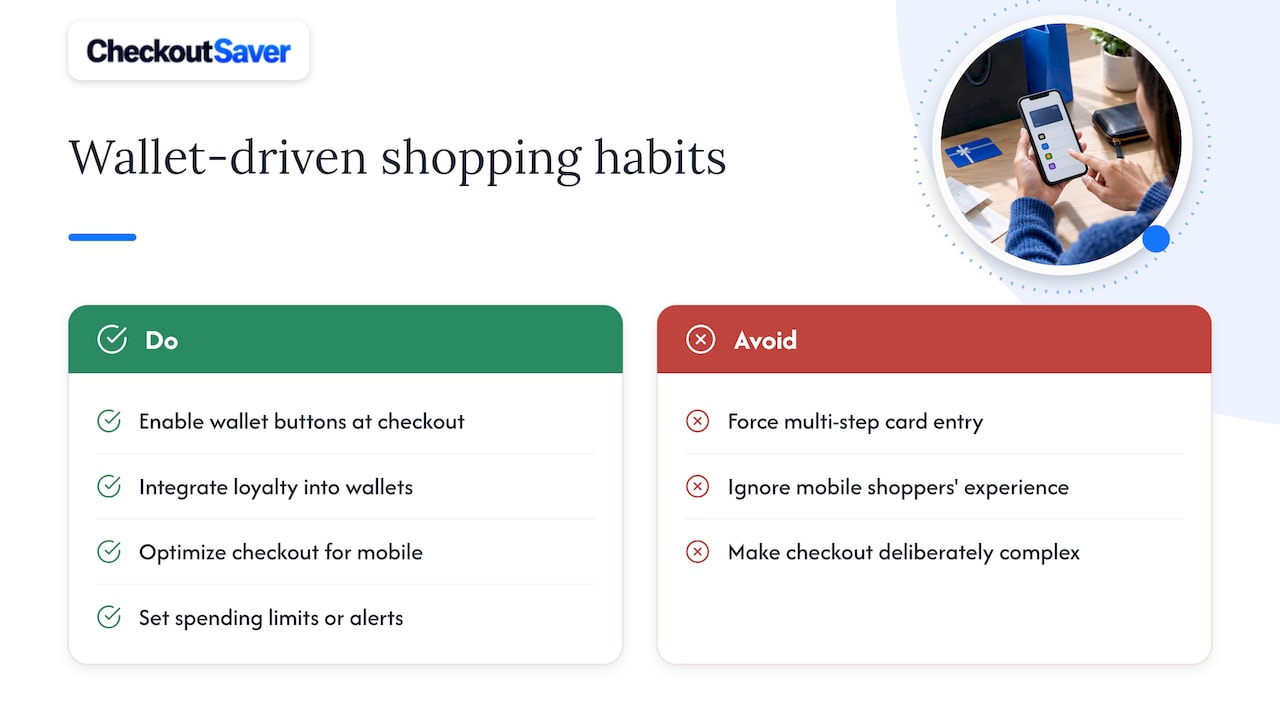
Wallets have shifted checkout from a multi-step typing exercise into something closer to a single tap, and that shift has changed how people shop as much as how they pay. When checkout friction drops, shoppers complete more of the purchases they start, particularly on mobile devices where typing a 16-digit card number is tedious.
Phone-based payments have grown steadily as a share of overall transactions, according to the Federal Reserve’s Diary of Consumer Payment Choice, which found mobile phones accounted for 45% of remote payments in 2024. That growth tracks with how often people now browse and buy from a phone rather than a desktop, especially for smaller, spontaneous purchases.
Stored credentials and wallet buttons have also made repeat purchases nearly frictionless, which rewards retailers who make checkout simple and penalizes those who do not. Loyalty integration inside wallets adds another behavioral shift: when a rewards card lives in the same app as the payment method, shoppers are more likely to use it consistently rather than forgetting a physical card at home.
The flip side is that faster checkout can also mean less friction before an impulse buy. A tap takes a fraction of the time that entering a card number does, which removes a natural pause that once gave shoppers a moment to reconsider. That is not a reason to avoid wallets, but it is a reason to set spending limits or alerts if quick checkout tends to work against your budget.
How do popular digital wallet providers compare?
The major digital wallets share the same tokenization foundation but differ in device compatibility, merchant reach, and rewards integration.
Apple Pay works only on Apple devices and relies on Face ID or Touch ID for authentication, which makes it tightly integrated with the iOS ecosystem but unavailable to Android users. Google Pay runs across Android devices and also supports web checkout through Chrome, giving it broader device reach than Apple’s option. Both support NFC tap payments in-store and tokenized checkout online, and both now commonly support cashback or rewards offers tied to specific cards rather than the wallet itself.
PayPal operates differently: it functions as both an online checkout button and a balance-holding account, which means a purchase can draw from a linked bank account, a card, or existing PayPal balance depending on what you select. That flexibility makes it useful across more websites than device wallets, since not every retailer supports Apple Pay or Google Pay at checkout, but PayPal does not offer the same in-store NFC tap experience on most phones.
P2P apps like Venmo and Cash App increasingly let users pay select merchants directly from their balance, blurring the line between a payment app and a shopping wallet. These apps tend to have weaker merchant dispute processes than a wallet funded by a credit card, which matters more for a retail purchase than for splitting dinner with a friend.
Device compatibility is often the deciding factor for most shoppers: an iPhone owner defaults to Apple Pay, an Android owner to Google Pay, and the choice of a secondary wallet usually comes down to which checkout buttons a favorite retailer supports.
What rules govern digital wallets and consumer protection?
Digital wallet use in the United States sits under a handful of overlapping rules rather than a single wallet-specific law. Regulation E, enforced by the CFPB, governs electronic fund transfers and sets the liability tiers that apply when a linked bank account or debit card is used fraudulently through a wallet.
The FTC enforces against deceptive or anticompetitive practices tied to payment processing. Its 2022 order against Mastercard addressed how token conversion control affected competing debit networks processing e-wallet transactions, a reminder that the rules governing wallets extend beyond the checkout screen into how payment networks compete. The FTC also publishes direct guidance for consumers on avoiding scams in mobile payment apps, which carries practical weight since wallets are a frequent scam target.
Prepaid accounts linked to a wallet fall under separate CFPB prepaid rules that require issuers to disclose fees clearly before you load funds. None of these frameworks promise that a wallet transaction is risk-free, but together they set minimum protections and give you a clear path to dispute a charge or report fraud.
Balancing convenience, security, and savings in everyday wallet use
Pick authentication and a backup method over chasing the newest wallet feature. Stored credentials save time, but understanding how your funding choice affects your rights matters more day to day.
— Justin
A simpler way to cut costs on every wallet-funded purchase
Checkout Saver pairs with any wallet setup by letting you buy discounted gift cards, including with crypto, and stack one-time-use coupons for savings on top of your normal checkout flow.
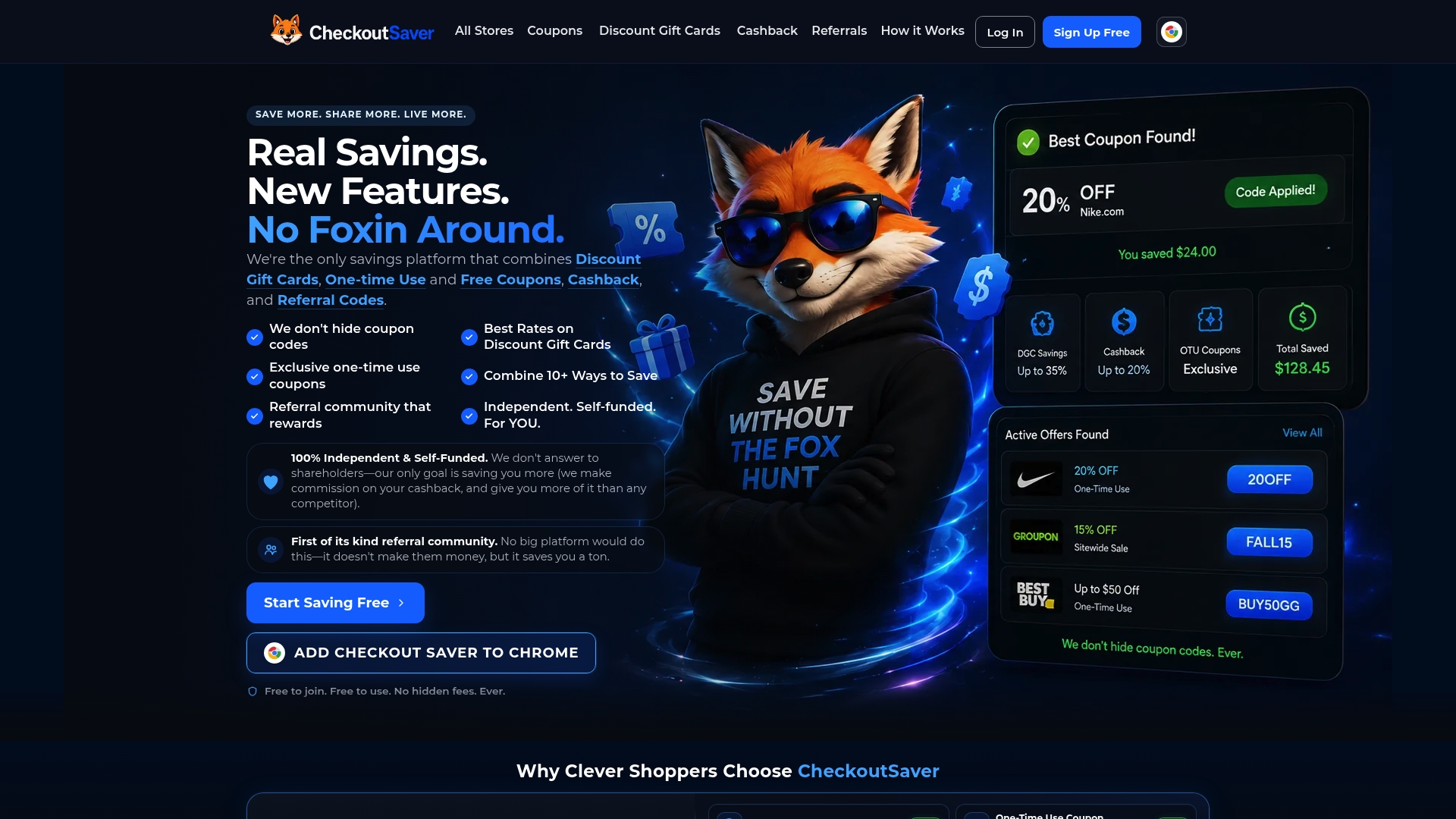
Load a wallet-ready gift card from the discount gift cards page before your next purchase, and keep your existing wallet security habits exactly as they are.
Sources
These sources back the figures and rules referenced throughout this guide.
- Diary of Consumer Payment Choice (2025 findings)
- FTC orders end to illegal Mastercard business tactics
- Mobile payment apps: How to avoid a scam when you use one | FTC
- § 1005.6 Liability of consumer for unauthorized transfers | CFPB
FAQ
What are the downsides of using a digital wallet?
A digital wallet still depends on the funding source behind it, so fees or weaker dispute rights can apply if you link a debit card, prepaid account, or app balance instead of a credit card. Risks also remain from phishing, stolen unlocked devices, and apps installed outside official stores.
How do you buy things with a digital wallet?
For in-store purchases, unlock your device, select the wallet if needed, tap it near the reader, and confirm with your PIN or biometric scan. For online or in-app purchases, tap the wallet button at checkout or choose a stored card, confirm your shipping and payment details, and submit the order.
Is there a fee for using a digital wallet?
The wallet app itself is typically free, but fees can come from the card issuer, a linked prepaid account, or a merchant surcharge applied at checkout. Reading your card’s terms and any prepaid account disclosure before funding a wallet helps you avoid surprise charges.
Is there a free digital wallet?
Yes, the major digital wallets, including device wallets like Apple Pay and Google Pay and app-based options like PayPal, are free to download and use. Any cost comes from the card or account you link to the wallet, not from the wallet app itself.
Recommended
- Buy Discount Gift Cards With Crypto
- Buy Discount Gift Cards from All Stores
- Gift Card App – Buy, Sell & Save
- Checkout Saver Coupons: Promo Codes for 5,000+ Stores