

Table of Contents
- What Coupon Stacking Is (and Where It Actually Works
- How to Stack Multiple Coupon Codes Step by Step
- Best Coupon Stacking Apps and Browser Extensions in 2026
- Combining Cashback With Coupon Codes Without Losing Either One
- Using Gift Cards With Promo Codes: What Stacks and What Doesn’t
- Mobile App vs. Desktop Checkout: Where Stacks Behave Differently
- Common Coupon Stacking Mistakes That Kill Your Discount
- Frequently Asked Questions
Last Updated: September 16, 2026
What Coupon Stacking Is (and Where It Actually Works
Coupon stacking is the practice of combining more than one discount on a single transaction, such as pairing a manufacturer coupon with a store coupon or adding a promo code on top of a sale price. Most retailers allow some form of it, but the rules are set store by store, and the order you apply codes in often decides whether the stack succeeds or fails.
Manufacturer Coupons vs. Store Coupons
A manufacturer coupon is issued by the brand that made the product, and the retailer gets reimbursed for the discount. A store coupon comes from the retailer itself, so the store absorbs the cost. This distinction matters because most policies treat them differently: manufacturer coupons frequently stack with store coupons, while two manufacturer coupons for the same item usually do not.
How Retailers Decide What Stacks: Coupon Policy and Stacking Logic
Every retailer publishes a coupon policy, and it is the only document that settles stacking disputes. Policies typically restrict stacking by category: one manufacturer coupon per item, no combining a promo code with a clearance price, or no stacking on gift card purchases. Retailers build these rules to protect margin, so when a stack fails, it is almost always a policy restriction firing, not a broken code.
Ignoring the coupon policy is the fastest way to lose a discount. If you stack codes that the terms prohibit, the register may reject the entire transaction or the retailer may void the order after the fact.
How to Stack Multiple Coupon Codes Step by Step
Learning how to stack multiple coupon codes reliably comes down to three habits: read the policy first, apply codes in the right sequence, and know how to recover when a stack fails. The steps below work for most online checkouts, and they assume you are stacking legitimately, pairing discounts the retailer’s own policy permits, not inventing codes or reusing single-use ones, which crosses into coupon fraud territory and can get an account closed.
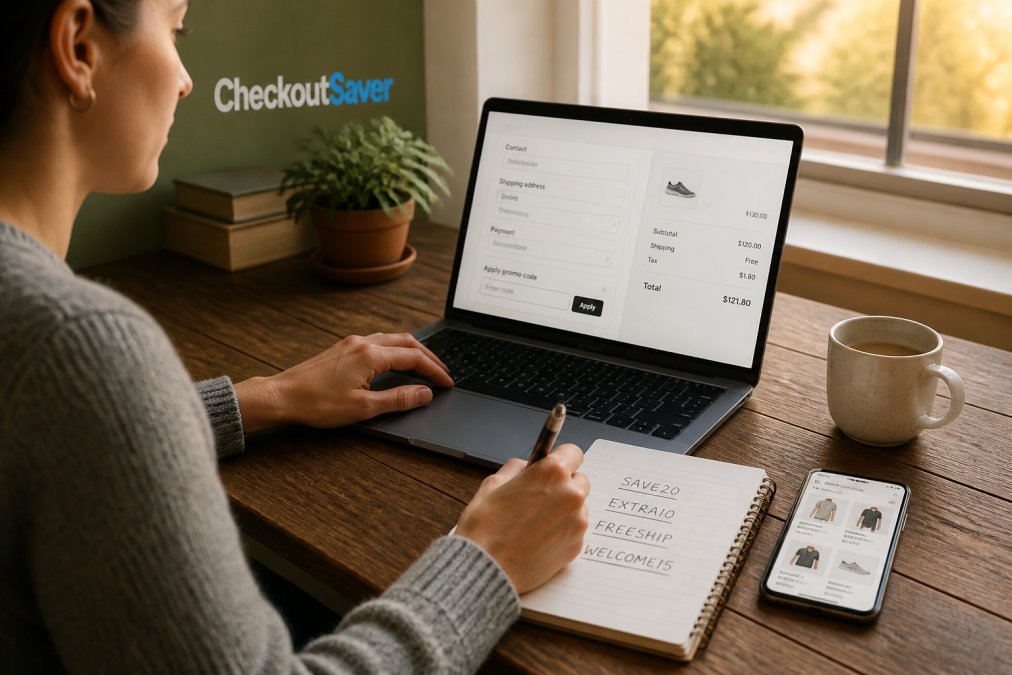
Step 1: Read the Coupon Policy Before You Fill Your Cart
Find the retailer’s coupon policy page, usually linked in the site footer under “Customer Service,” “Terms,” or “Promotions.” Check four things before you add anything to the cart:
- Whether manufacturer and store coupons combine on the same item
- Whether codes apply to sale, clearance, or doorbuster pricing
- Whether there is a per-transaction or per-item code limit
- Whether the policy excludes specific categories (gift cards, prescriptions, alcohol, and tobacco are common exclusions)
Step 2: Apply Codes in the Right Order and Watch the Cart Total
Enter the highest-value code first, then the next, checking the cart total after each entry. The reason order matters is mechanical, not mystical: many checkout systems recalculate the discount base after each code, so a percentage-off code applied after a fixed-dollar code will compute against a smaller subtotal. A common pattern that works:
- Store-wide percentage promo code
- Item-specific or category code
- Free-shipping code (usually independent of the discount base)
- Payment method (gift card, store credit) last
Step 3: Troubleshoot a Failed Stack at Checkout
When a stack fails, work through this checklist:
- Confirm the code hasn’t expired and the item qualifies
- Remove all codes and re-enter them one at a time
- Check whether the cart meets the purchase threshold
- Switch from the mobile app to desktop, or vice versa
- Disable coupon browser extensions, which can auto-apply a conflicting code mid-checkout
- Contact support and ask which policy blocked the stack
That extension step is the one most guides skip. Automated extensions often inject their own codes at the moment of checkout, and if the retailer’s system sees two codes from the same source, it may silently drop both. Turn the extension off, reload the cart, and enter your codes manually.
The thing nobody tells you about failed stacks: the discount often vanishes silently rather than showing an error. Screenshot your cart total before and after each code entry so you can prove what the price should have been.
Step 4: Know Where Stacking Ends and Fraud Begins
The line is clearer than most shoppers assume. Legitimate stacking means combining discounts the retailer’s policy explicitly permits. Coupon fraud means using codes you aren’t entitled to, photocopied manufacturer coupons, codes scraped from a forum and reused after their single-use limit, or codes generated by tampering with a URL. Retailers track this, and the consequences range from a voided order to a banned account or, for manufacturer coupon fraud, referral to the brand’s loss-prevention team.
Best Coupon Stacking Apps and Browser Extensions in 2026
The best coupon stacking tools in 2026 fall into three groups: browser extensions that auto-test codes at checkout, cashback platforms that pay a percentage back after purchase, and coupon trading or gift card marketplaces that lower the price before you ever reach checkout. Extensions are the fastest to try, but they only test codes the retailer’s system already accepts, they don’t create stacking permission that the policy doesn’t grant.
Why Browser Extensions Conflict With Manual Stacking
This is the part most guides leave out. When you install a coupon extension, it typically watches the checkout page and, at the moment you click “Apply” or “Place Order,” injects its own candidate codes into the same promo field you’re using. On a retailer that allows one code per transaction, the extension’s code can overwrite yours. On a retailer that allows two, the system may see both codes arriving from the same source and reject the pair as a duplicate attempt.
Mobile App vs. Desktop Checkout: Where Stacks Behave Differently
Mobile apps and desktop checkouts don’t always run the same stacking rules, and this trips up more shoppers than any expired code. The differences are usually deliberate:
- App-only promo codes. Retailers push downloads by issuing codes that validate only in the app, not the browser.
- Different code limits. Some desktop checkouts accept two codes where the app accepts one, or vice versa.
- Different promo field behavior. Desktop checkouts often show a running discount line item; apps sometimes apply the discount silently at the final review screen.
- Extension availability. Most coupon extensions run in desktop browsers only, so app checkouts are effectively manual.
Cashback Platforms and Coupon Marketplaces
Cashback platforms pay a percentage back after the purchase clears, and they generally coexist with coupon codes, but the cashback is calculated on what you actually pay, so a deep coupon shrinks the cashback. Coupon trading and gift card marketplaces work differently: they lower the price before checkout, which means they stack with promo codes rather than competing with them.
The tool you pick changes what “stacking” even means. Extensions test codes the retailer already accepts. Cashback platforms pay you back after the fact. Marketplaces lower the price before you start. Only the last category reliably stacks with a promo code at checkout.
Combining Cashback With Coupon Codes Without Losing Either One
Combining cashback with coupon codes is allowed on most platforms, but the order matters: use the coupon first, then let the cashback portal track the discounted total. Cashback is usually calculated on what you actually pay, not the pre-coupon price, so a deep discount shrinks your cashback. That trade-off is still worth taking when the coupon saves more than the cashback would.
Using Gift Cards With Promo Codes: What Stacks and What Doesn’t
Using gift cards with promo codes works at most retailers, with one catch: gift cards are a payment method, not a discount, so they rarely block a promo code from applying. Where it gets complicated is discounted gift cards. Buying a gift card below face value and then applying a promo code on top is one of the strongest stacking plays available, because the two savings come from different places.
Mobile App vs. Desktop Checkout: Where Stacks Behave Differently
Mobile apps and desktop checkouts don’t always run the same stacking rules, and this trips up more shoppers than any expired code. Apps frequently offer app-only promo codes that won’t work on the website, while some desktop checkouts accept two codes where the app accepts one. Retailers build these differences deliberately to push downloads.
Common Coupon Stacking Mistakes That Kill Your Discount
Most failed stacks trace back to four repeat mistakes:
| Mistake | Why It Fails | The Fix |
|---|---|---|
| Stacking two manufacturer coupons | Policy allows one per item | Pair one manufacturer coupon with a store coupon |
| Applying codes after gift card entry | Discount base recalculates lower | Enter promo codes before payment details |
| Using a code on clearance | Clearance often excluded from stacking | Check exclusions before adding to cart |
| Ignoring per-transaction limits | System caps discounts per order | Split the purchase into separate transactions |
A common mistake is assuming a code is dead when the policy is what blocked it. Expired codes are easy to spot; policy restrictions are invisible unless you read the terms. The other frequent error is stacking codes from the same source, which nearly every retailer prohibits.
Frequently Asked Questions
Can you stack coupon codes at most online retailers?
Most online retailers allow only one promo code per transaction, so a true stack of two codes usually fails. Stacking works best when the discounts come from different layers: a store promo code on the cart total, a manufacturer coupon on a specific item, and cash back or a discounted gift card as a separate savings layer. Check the retailer’s coupon policy page first, because stacking rules vary widely and some stores block all code combinations at checkout.
What is the difference between a manufacturer coupon and a store coupon?
A manufacturer coupon comes from the brand and takes money off a specific product, and the retailer gets reimbursed for that amount. A store coupon comes from the retailer itself and applies to the cart total, a category, or a single item at that store’s discretion. Because they draw from different sources, many coupon policies allow one of each on the same item. That is the most reliable way to stack multiple coupon codes without triggering a validation error.
Can I combine a promo code with a cashback offer?
Often yes, but the order matters. Start your shopping trip from the cashback portal or app, then apply the promo code at checkout. If you apply the code first or open a different browser tab, the cashback tracking can break and the transaction may not register. Some cashback programs also exclude orders paid with certain promo codes, so read the terms before you buy. Combining cashback with coupon codes usually works, but only when the tracking link stays intact.
What should I do if a coupon code doesn’t apply at checkout?
First, check the obvious: expiration date, minimum purchase threshold, excluded brands, and whether the code is for online or in-store use only. Then remove other codes and reapply the one you want most, since some carts reject a new code when an old one is still active. If it still fails on desktop, try the retailer’s mobile app, because app and desktop checkouts sometimes run different stacking logic. A failed stack is usually a policy restriction, not a broken code.
Stacking discounts is a skill, not luck, and the shoppers who save the most treat it like a system: check the policy, sequence the codes, and know when to walk away. Checkout Saver was built for exactly that approach, with one-time use coupon trading, discounted gift cards, and cashback in one place, plus a transparent, no-hidden-code setup you can try casually without linking every account. Sign up free and start paying less on the shopping you already do.

