Share coupon codes on deal aggregator sites, referral hubs, niche community forums, and browser-extension submission forms, matched to the code type you’re posting. The one rule that matters more than platform choice: test the code yourself before you post it, and disclose any reward you get for sharing it. Skip either step and you’ll lose the trust that makes people click your code in the first place.
TL;DR:
- Posting referral-only invites in public forums can lead to removal or bans if done excessively or without proper context.
- Always include detailed, accurate information when submitting a coupon, including tested status, restrictions, and application steps, to ensure it’s used properly.
- Disclosed material rewards for sharing codes must be clearly stated next to the code, regardless of whether the reward is a commission, bonus, or discount.
- Testing codes on multiple devices and cart setups with documented proof increases trust and reduces the risk of sharing expired or broken codes.
- Use verified platforms like deal sites or submission forms for wider reach, while private sharing should be reserved for direct, personalized invites.
Table of Contents
- Where to Share Coupon Codes for the Best Reach
- How to Submit a Coupon or Referral Code Correctly
- Community Rules and Moderation: Staying in Good Standing
- Disclosure Basics: What You Owe Your Readers
- How to Verify a Code Before You Post It
- A Straight Take on Community Sharing
- Submit, Sell, or Buy Codes on Checkout Saver
- Sources
- FAQ
Where to Share Coupon Codes for the Best Reach
Not every code belongs on every platform, and posting a referral-only invite in the wrong place can get it pulled within minutes. Match the code to the venue.
- Deal aggregator and coupon sites (CouponFollow, Price.com style submission flows) offer the widest audience and often run codes through a review queue before publishing, which weeds out fakes but also delays visibility by a few hours or days.
- Referral hubs and invitation directories exist specifically for referral link sharing — sites built around organizing invite codes by category so people searching for a referral bonus can actually find yours instead of scrolling past it.
- Social and community forums (relevant subreddits, Discord servers, Facebook groups) give you faster feedback and a more targeted audience, but they come with the strictest posting norms of any venue on this list.
- Browser-extension submission forms, like the one Honey runs for its share a coupon feature, let a code get applied automatically for anyone using the extension, which is useful when you want set-and-forget distribution rather than a one-time post.
- Referral share modules built into retailer programs often support multiple channels at once (copy link, SMS, WhatsApp, email), which spreads a single code across more surfaces than a static forum post ever could.
Skip public posting entirely for anything that’s a personal, one-to-one invite, a code tied to your specific account, or an offer meant for someone you know. Those belong in a direct message, not a public thread.
How to Submit a Coupon or Referral Code Correctly
A bare code string gets ignored, flagged, or removed. A complete submission gets used. Include these fields every time:
- The code itself, copied exactly, with capitalization intact.
- Retailer or brand name.
- What the discount actually does (percentage off, dollar amount, free shipping, cashback).
- Expiration date or usage limit, if known.
- Any restrictions (minimum spend, first-time customers only, specific categories excluded).
- The date you personally tested it.
- Short steps for applying it (checkout box, account settings, referral link click).
“$50 spend, new customers only, tested [date], enter at checkout.” For a forum post, add a sentence of context up front explaining why you’re sharing it and how you found it. A screenshot of the applied discount at checkout adds real credibility. Checkoutsaver’s own submit a coupon flow asks for these same fields, which is a decent template to copy even when you’re posting somewhere else.
Community Rules and Moderation: Staying in Good Standing
Most bans don’t come from posting a code. They come from posting it the wrong way, repeatedly. Reddit’s own moderation guidance is clear that promotional content isn’t automatically treated as spam. What triggers removal is repeated identical posts, disguised redirect links, and bot-like posting patterns. Unsolicited DMs pushing a code to strangers get you banned faster than almost anything else.
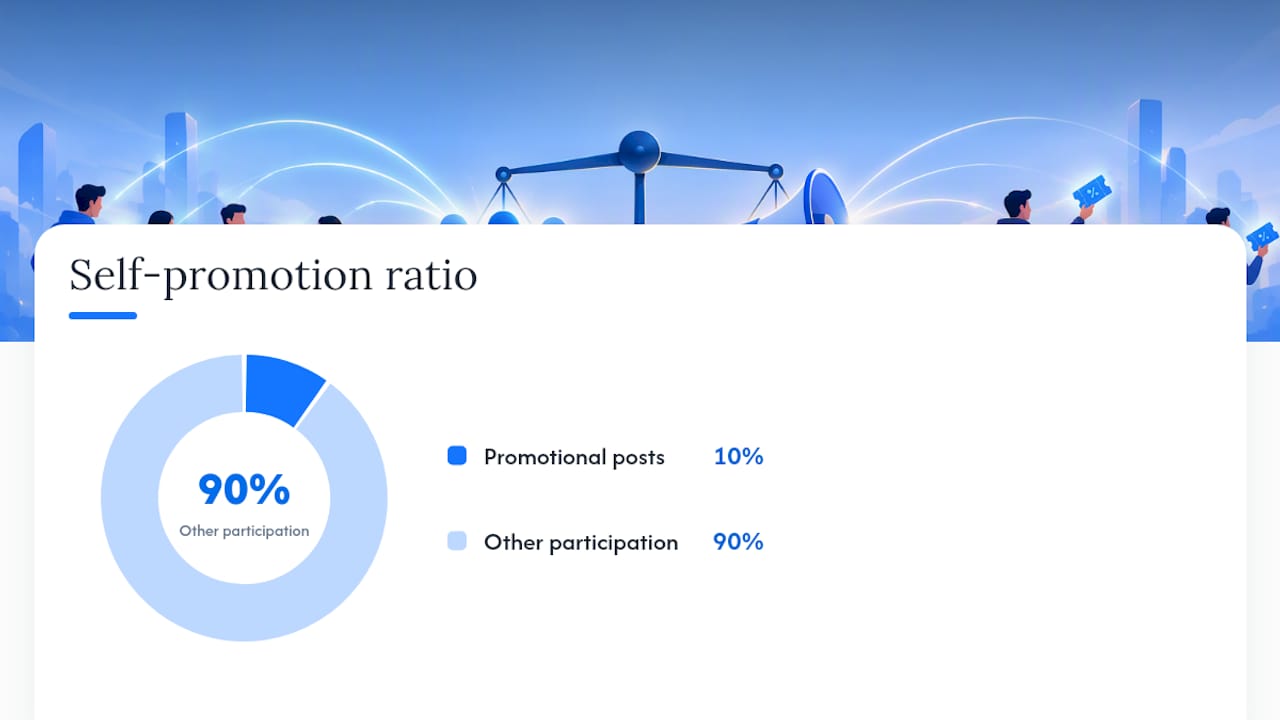
Many communities apply an informal 10% self-promotion guideline: roughly one promotional post for every nine posts of genuine participation. It’s not a hard law, but it signals what moderators actually want to see.
- Comment, answer questions, and contribute outside your own posts before you start submitting codes.
- Add context explaining why the code matters, not just what it is.
- Space out submissions instead of posting the same code across five subreddits in one afternoon.
Pro Tip: If a moderator removes your post, don’t repost immediately. Message them, ask what rule you missed, and fix it. Most moderators will let a corrected version back through.
Disclosure Basics: What You Owe Your Readers
If you earn a commission, a referral bonus, or even a small coupon for sharing a code, that’s a material connection under FTC guidance, and it needs a clear, visible disclosure right next to the code or link. This isn’t a gray area reserved for big influencers.
- “I earn a small commission if you use this code” is enough, as long as it sits next to the offer, not buried in a bio or a footnote.
- The 2023 Endorsement Guides walk through real scenarios where receiving free products or ongoing coupons creates an endorsement relationship that requires disclosure.
- Even a small token or discount can count if it might shift how someone weighs your recommendation, so err toward disclosing rather than skipping it.
Checkoutsaver’s referral program builds this expectation in from the start, since anyone sharing a referral link there is earning a reward that needs to be flagged.
How to Verify a Code Before You Post It
A broken code posted to a community with 50,000 members does real damage to your credibility. Run through this checklist first.
- Apply the code at checkout using a couple of different cart setups, not just one item.
- Test it on both mobile and desktop, and note any exceptions you hit, like first-time-customer restrictions or a minimum order size.
- Screenshot the discount actually applying, and write down the exact date and time you tested it.
- Label the code clearly when you post: verified, tested (with date), untested, or expired.
That last step matters more than people think. A code marked “tested 3 days ago” earns far more trust than one with no status at all, and it gives other users a fair warning if the retailer pulls it before you get a chance to update your post.
A Straight Take on Community Sharing
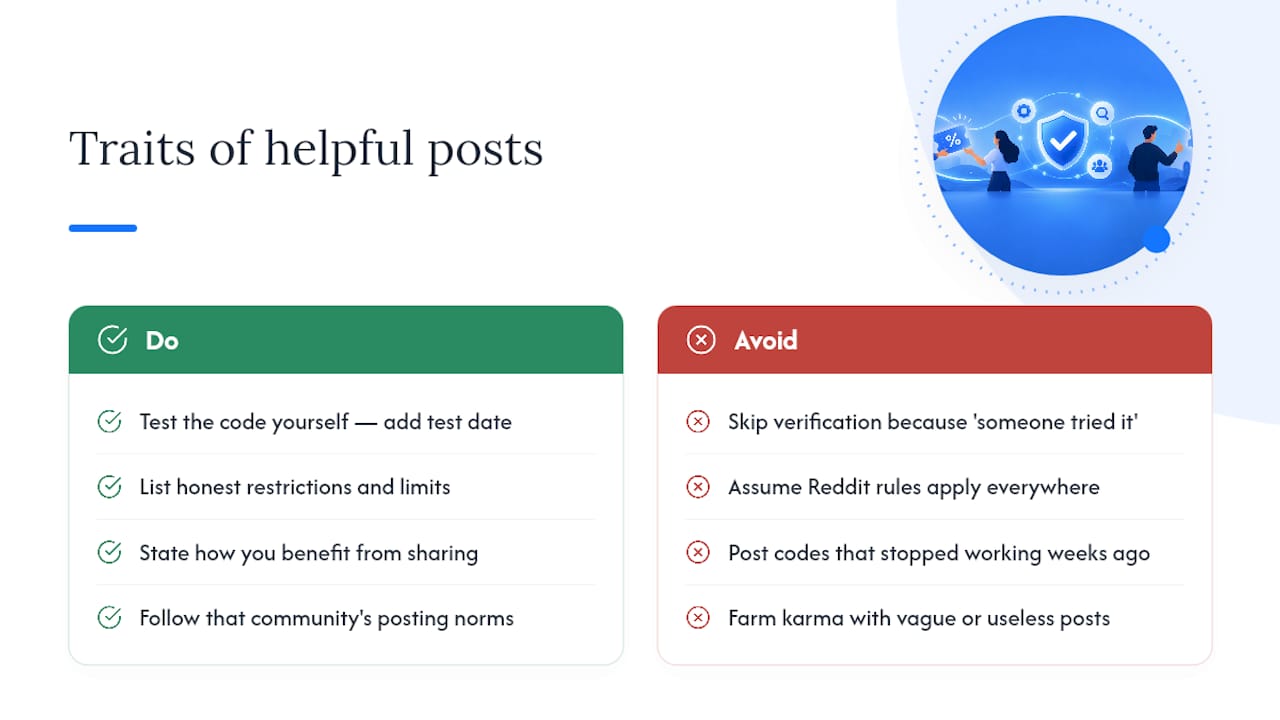
Most guides treat disclosure and code testing as legal fine print you tolerate avoiding a fine. That’s backwards. The posts that get the most traction in coupon communities aren’t the ones with the biggest discount. They’re the ones that include a tested date, honest restrictions, and a plain “here’s how I benefit” line. That combination is what separates a helpful contributor from someone farming karma with dead codes.
The instinct to skip verification because “someone else already tried it” is how entire threads fill up with codes that stopped working weeks ago. Test it yourself, say what you get out of sharing it, and follow the specific community’s posting norms instead of assuming Reddit rules apply on a Discord server. That’s the whole system. It’s not complicated, it’s just easy to skip when you’re in a hurry to post.
— Justin
Submit, Sell, or Buy Codes on Checkout Saver
Most deal forums make you post into a void, hoping a code sticks before it expires and gets buried under a hundred other threads. Some platforms give you an actual marketplace instead: submit a working code and other shoppers can find and use it directly, no guessing whether a moderator will approve it in time.
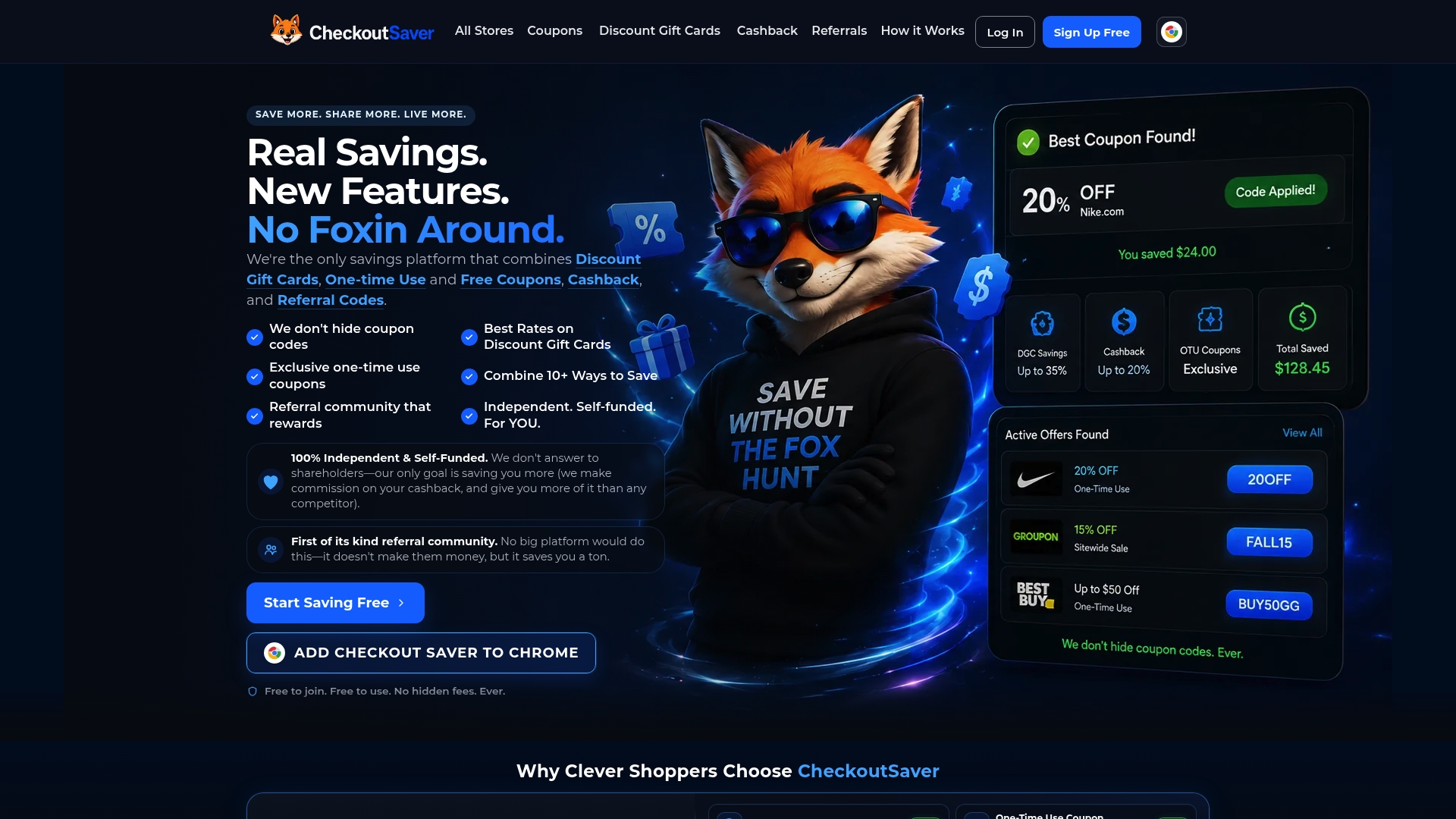
The submit a coupon flow asks for the same fields you’d use anywhere else, code, retailer, restrictions, tested date, so verification is built into the process rather than left to chance. If you’ve got a one-time-use code you’re not going to use yourself, you can sell unused coupon codes for cash instead of letting it expire, with Checkoutsaver taking a flat 15% cut on completed sales. Shoppers looking for verified codes right now can browse one-time-use coupons or discount gift cards without wading through paywalled listings. And if you’re sharing your own referral link anywhere public, disclose the reward the same way you would on any other platform. Start by submitting your first code and see how it performs.
Sources
- FTC’s Endorsement Guides: What People Are Asking | Federal Trade Commission
- How do I keep spam out of my community? – Reddit Help
- Guides concerning the use of endorsements and testimonials in advertising
- Share a coupon — Honey Help
FAQ
Is It Legal to Share Coupon Codes Online?
Yes, sharing coupon codes is legal in most cases, as long as the code isn’t stolen, restricted to a single account, or shared in violation of a retailer’s terms. The legal issue that actually trips people up is disclosure: if you earn a reward for sharing a code, the FTC requires you to disclose that connection clearly.
What’s the Best Site to Share Coupon Codes?
There’s no single best site. Deal aggregator sites give you the widest reach, referral hubs work better for invite-only offers, and niche forums or Discord servers work best when you want engaged, targeted attention. Checkoutsaver’s submit a coupon page is a solid option when you want a code to reach shoppers actively searching for verified deals.
How Do I Know If a Coupon Code Still Works?
Test it yourself at checkout before posting, using more than one cart configuration, and note the date you tested it. Codes with a visible tested date consistently get more trust and clicks than codes posted with no verification at all.
Do I Have to Disclose a Referral Bonus When I Share a Link?
Yes. Any payment, commission, or even a small coupon you receive for sharing a link counts as a material connection under FTC guidance, and it needs a plain-language disclosure placed right next to the link, not buried elsewhere on the page.
How Much Does Checkoutsaver Take From a Coupon Sale?
Checkoutsaver charges a flat 15% fee on completed sales when you sell an unused coupon or gift card through the platform, with the remainder going to you as the seller.
Recommended
Created with help from BabyLoveGrowth